 Duplicators
 Large Format Printers
 Photocopier
 Printer
 Scanner
 Service Manual
 Service Tool
 Other
Other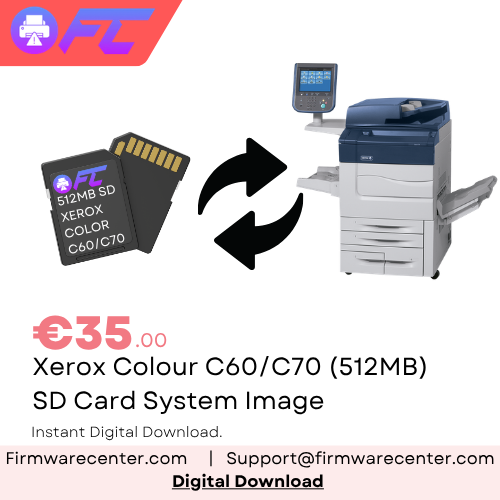
Xerox Colour C60 / C70 512MB SD Card Recovery Image 604K91822 Download
€35.00
Compatible Models
- Xerox Colour C60
- Xerox Colour C70
SD Card Information
Xerox Part Number: 604K91822
Card Capacity: 512MB
Type: Controller SD Card Recovery Image
Description
Instant Download – Xerox Colour C60 / C70 512MB SD Card Recovery Image
Recover your Xerox Colour C60 or C70 with this 512MB SD Card Recovery Image – Part Number 604K91822.
This system recovery image is designed for technicians repairing Xerox C60/C70 machines with a failed, corrupted, damaged or missing internal controller SD card.
The supplied recovery image can be written directly to a compatible 512MB SD card to create a replacement system card for installation in the machine.
Compatible Models
- Xerox Colour C60
- Xerox Colour C70
SD Card Information
Xerox Part Number: 604K91822
Card Capacity: 512MB
Type: Controller SD Card Recovery Image
Product Features
✔ Xerox C60/C70 SD Card Recovery Image
✔ 512MB original-size recovery image
✔ Reference Part Number 604K91822
✔ Supports Xerox Colour C60 & C70
✔ Instant digital download after purchase
✔ Designed for SD card replacement and recovery
✔ Suitable for corrupted or failed controller storage
✔ Ideal for boot and system recovery
✔ Secure download through your customer account
Common Uses
- Replace a failed internal SD card
- Recover a corrupted controller SD card
- Restore machines suffering from SD-related boot problems
- Prepare a replacement 512MB SD card
- Recover system software following SD card corruption
- Repair machines that no longer boot correctly
- Restore the controller system image
- Recover after SD card failure or replacement
Download Information
Product Type: SD Card Recovery Image
Brand: Xerox
Series: Xerox Colour C60 / C70
Compatible Models: C60 / C70
Part Number: 604K91822
SD Card Size: 512MB
Delivery: Instant Download
Format: Raw SD Card Recovery Image
Important Notice
This product is an SD Card Recovery Image and is not a standard Xerox firmware update.
The supplied image must be written to a compatible SD card using a sector-by-sector/raw disk imaging application.
Simply copying the recovery image file onto the SD card will NOT create a working recovery card.
Because this image originates from a 512MB SD card, we recommend using a compatible card of the appropriate capacity wherever possible.
This product is intended for qualified technicians and experienced service engineers familiar with Xerox C60/C70 hardware and system recovery procedures.
Always verify your machine model and existing SD card before proceeding.
Recommended Imaging Software
We recommend HDD Raw Copy Tool v2.6 for writing the supplied recovery image.
Available versions:
- HDD Raw Copy Tool v2.6 Setup – Windows Installer; recommended for most users
- HDD Raw Copy Tool v2.6 Portable – Runs directly without installation
Insert your replacement SD card into your computer, select the supplied recovery image as the source, and select your SD card as the destination.
WARNING: Raw imaging software completely overwrites the selected destination device. Always double-check that you have selected the correct SD card before starting.
After Installing the Recovery SD Card
After successfully writing the image:
- Power off and disconnect the Xerox C60/C70.
- Install the prepared SD card into the correct controller SD card location.
- Reassemble the machine as required.
- Restore power and allow the machine to initialise.
- Complete any additional software or service procedures required by the machine.
Additional firmware or software recovery may be necessary depending on the original fault and which components have been replaced.
What’s Included
- Xerox Colour C60 512MB SD Card Recovery Image
- Xerox Colour C70 512MB SD Card Recovery Image
- 604K91822 Recovery Image
- Digital Download Access
- Secure Delivery Through Firmware Center
Support
If you are unsure whether your Xerox C60/C70 requires an SD Card Recovery Image, firmware reload, or another recovery procedure, please contact our technical support team before purchasing.
Reviews
There are no reviews yet.